 @lekeboi3
When does self-hosting an LLM actually save money? I benchmarked 4 GPUs to find out
Hi all, I'm Leke, an AI/ML engineer. Here's what my latest benchmark found.
I wanted a straight answer to "what's the cheapest way to serve a useful 7B model, and what do I lose by going cheap?" So I ran Qwen2.5-7B-Instruct in four formats (BF16, AWQ, GPTQ-Int4, GPTQ-Int8) on vLLM across an RTX 3090, L4, RTX 4090 and A100 rented on RunPod, with the method written down before the first run.
What came out:
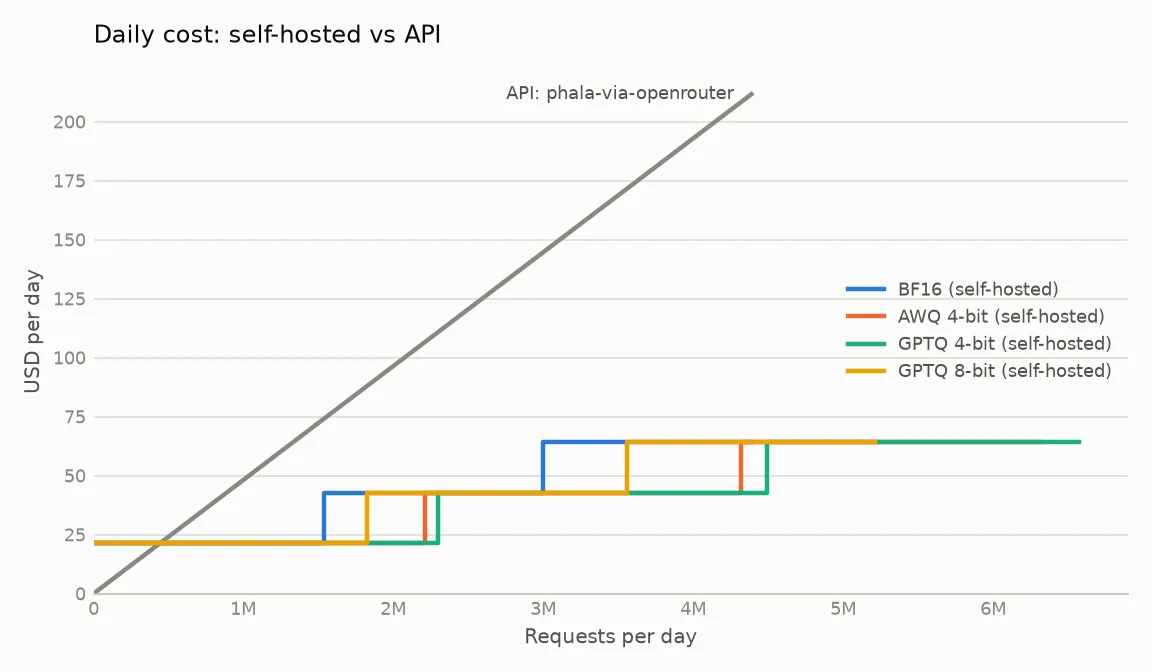
- Below roughly a quarter of a million requests a day, paying per token is cheaper. Break-even against a per-token API serving the same model (OpenRouter, $0.10 in / $0.20 out per 1M) is ~250k requests/day on a 3090 and ~440k on a 4090, and only if traffic keeps the card 21–30% busy around the clock. Below that volume, self-hosting makes sense for privacy, control or latency rather than cost.
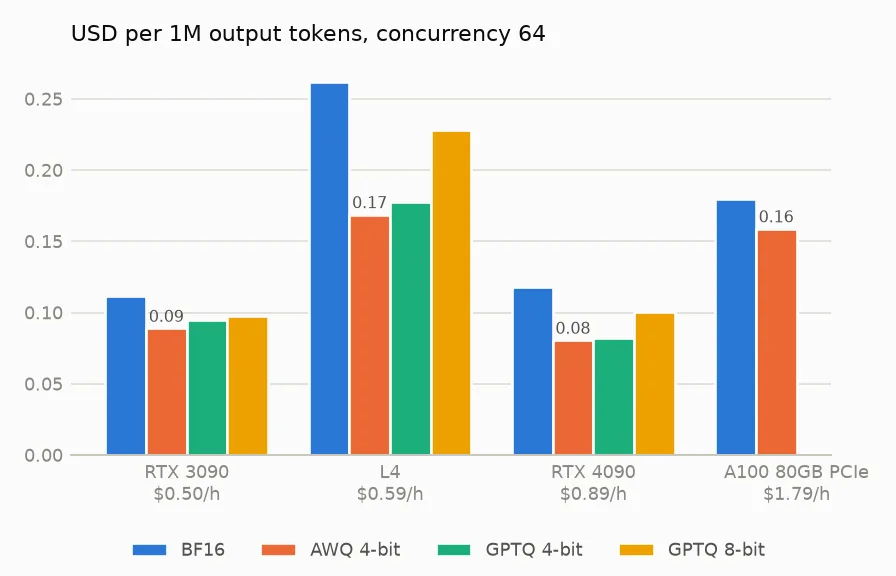
- Hourly GPU price didn't predict cost per token. The L4 ($0.59/h) was the most expensive per token. AWQ on a 4090 ($0.89/h) came to $0.080 per 1M output tokens and $0.089 on a 3090, against $0.169 on the L4.
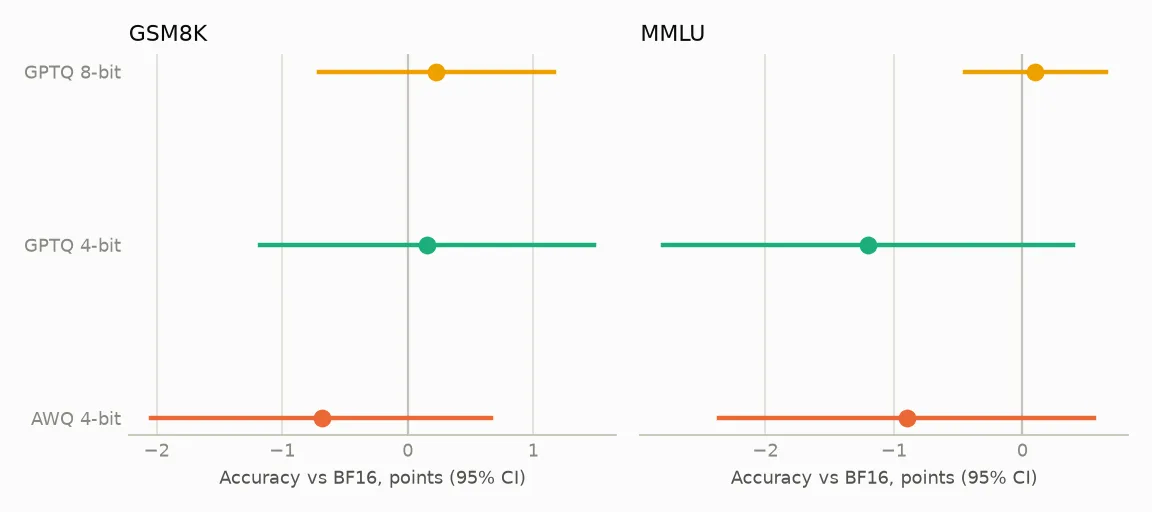
- 4-bit changes your answers far more than your accuracy. About 1 final answer in 12 differs from BF16, but accuracy moved by about a point at most, with no significant loss detected at a ~1–2-point resolution. GPTQ-Int8 was indistinguishable from BF16.
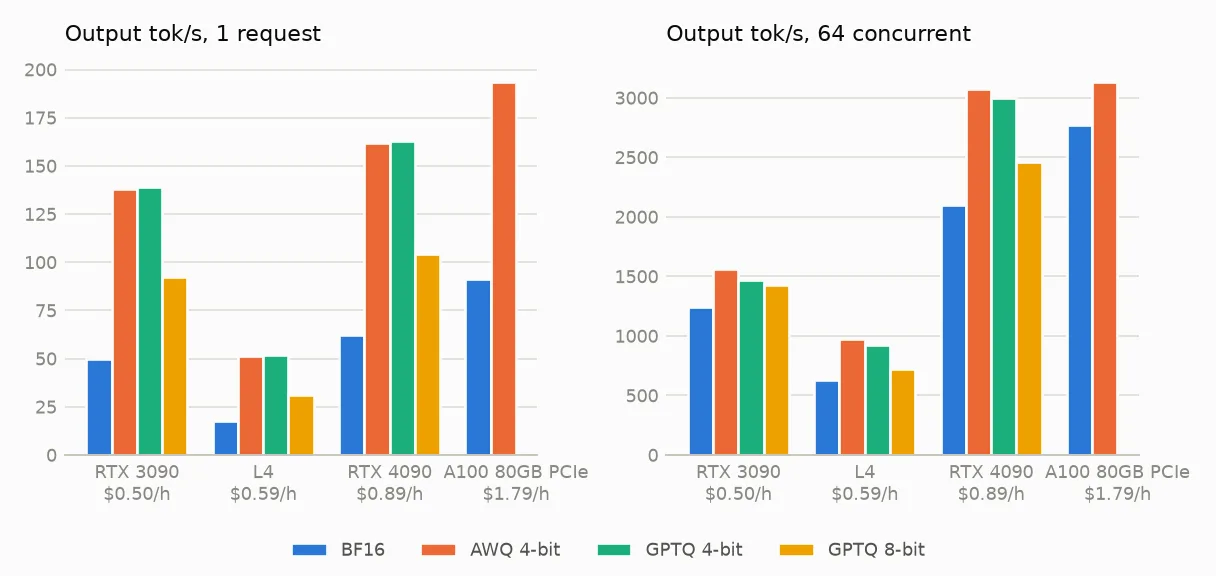
- Speed: 4-bit was 2.1–2.9× faster for one user, 1.1–1.6× at 64 concurrent requests.
Limitations, up front: one model, one engine, two narrow task sets (arithmetic and multiple-choice knowledge), one GPU provider, prices from one date.
The tool is open source: uvx frugal-llm bench runs against any OpenAI-compatible endpoint (vLLM, llama.cpp, Ollama). Run it on your hardware and send me the JSON, and I'll add it to the results.
- Results and method: https://lekeboi.github.io/Frugal_LLM/results.html
- Code: https://github.com/Lekeboi/Frugal_LLM
- Raw data: https://huggingface.co/datasets/Lekeboi/frugal-llm-qwen2.5-7b-quantisation
I'd love your input:
- Have you self-hosted a model to save money? What did it actually cost you, and was it worth it?
- Which model or GPU should I benchmark next?
- Anything in the method you'd question? I'll happily rerun it.








Comments
0 comments