 @it-skill313
Before → after: what DocuSense actually does to one invoice
A few days ago Ryan suggested I show a real before/after instead of describing the product. Fair point, so here it is.
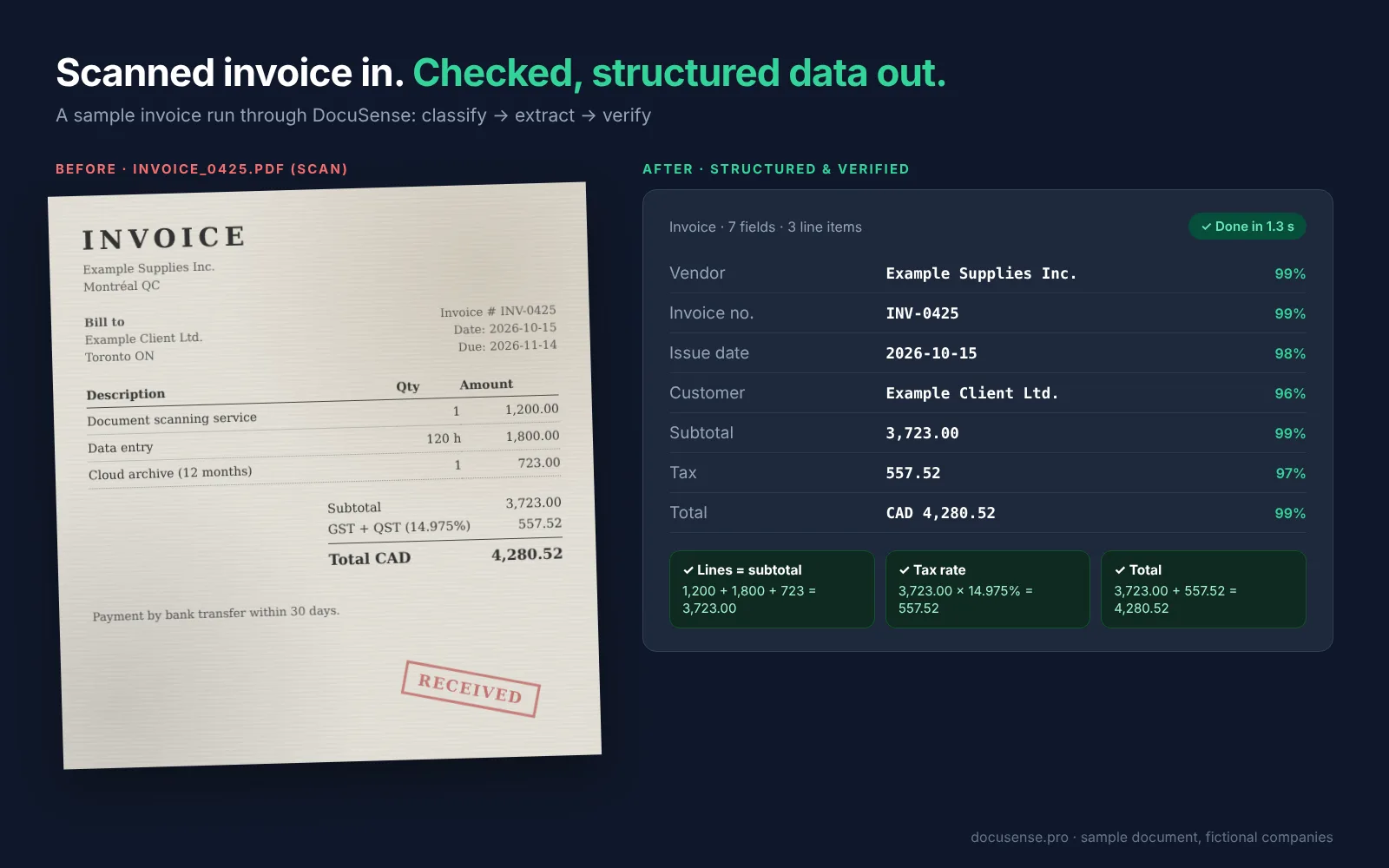
Before: a scanned invoice. 7 fields, 3 line items, Quebec GST + QST.
After (1.3 s): structured fields, each with a confidence score, plus 3 automatic checks: line items add up to the subtotal, the tax matches the 14.975% rate, and subtotal + tax = total.
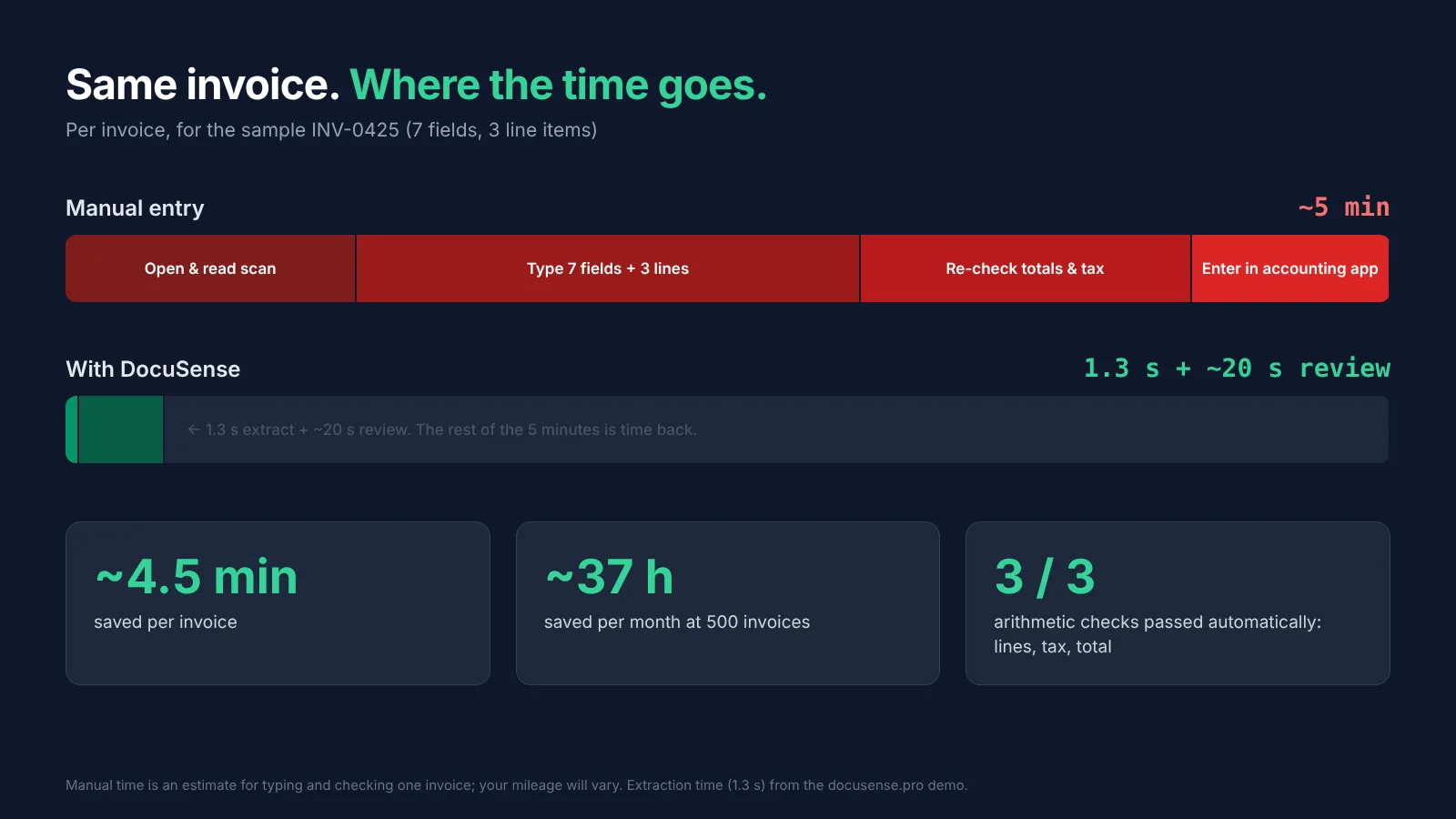
Done by hand, that’s roughly 5 minutes per invoice (my estimate): reading, typing, re-checking the math, then entering it in the accounting app. With extraction, what’s left is about 20 seconds to glance at anything flagged.
For accountants and bookkeepers here, I’d value your take:
How long does one invoice really take your team today, from opening it to having it in QuickBooks or Xero?
What makes you distrust automated extraction: wrong totals, bad dates, vendor names?
Would you trust a 96% confidence field without looking, or do you review everything anyway?
Thanks Ryan Dennler for the push 🙏 (sample document, fictional companies)







Comments
0 comments