Gemini desktop app gains computer use on macOS for multistep tasks
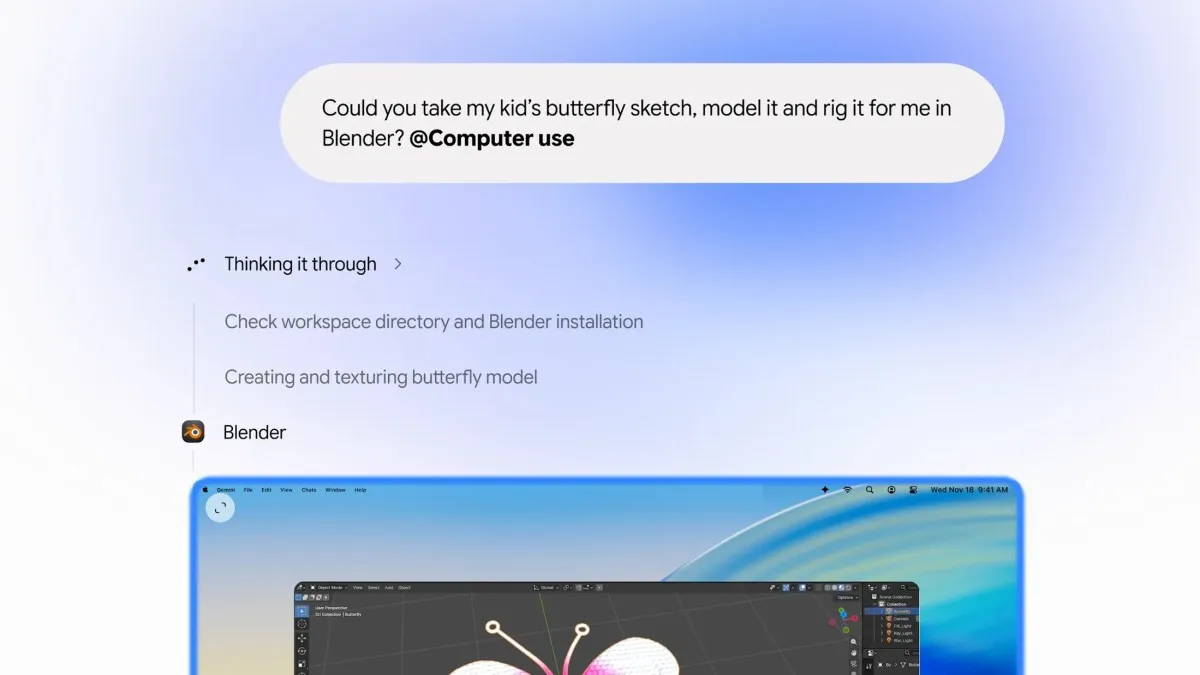
TechCrunch reported on November 19, 2026 that Google has added computer use to the Gemini desktop app for macOS. The assistant can now carry out multistep jobs across native Mac software, local files and websites while the user keeps working. Google frames the feature as a way to handle repetitive chores, such as sorting files into folders, filling out forms and building slideshows from local files or dashboard data.
Each session starts when a user enables the feature, opens Task mode and includes @Computer use in a prompt. The agent runs in an isolated background window and displays a live preview inside the chat, so the user's own screen and cursor stay free. Users can pause or stop the agent and choose which apps it may reach. Setup also requires macOS Accessibility and Screen & System Audio Recording permissions. Google says sensitive actions need confirmation, and its approval design is described as covering key actions rather than every click.
Access is limited to paid Google AI Plus, Pro and Ultra subscribers in the United States, in English, on Apple Silicon Macs running macOS Sequoia 15.0 or later. Google has not said when it will expand to other markets or platforms. The launch came earlier in the same week as a broader rollout of Gemini Tasks, which covers website sign-ins, online purchases and appointment booking. Computer use is a separate feature from Tasks.
Why it matters
For founders building agents, desktop control is becoming an expected interface rather than a fringe capability. TechCrunch notes that OpenAI, Anthropic and Meta already ship agentic features in their desktop apps, so a Mac-native agent is now a baseline for assistant products. Teams should treat live previews, interruption controls and per-app permissions as default design choices whenever an agent can read or change user files.
For operators and investors, the rollout ties a practical agent capability to paid tiers, which makes agent features a driver of subscription upgrades. Google's own documentation warns about prompt injection, so security review, permission scoping and audit trails will increasingly shape enterprise buying decisions. Startups selling narrow desktop agents should expect the platform owner to compete directly, which makes workflow depth and proprietary domain data the stronger defense.
Key points
- 1Rollout is limited to English-language users in the United States for now.
- 2Access requires an Apple Silicon Mac running macOS Sequoia 15.0 or later.
- 3A paid Google AI Plus, Pro or Ultra subscription is required to use the feature.
- 4macOS Accessibility and Screen & System Audio Recording permissions must be enabled before use.
- 5Sensitive actions need confirmation, and Google's documentation warns about prompt injection risk.